
- Blogs
- E-commerce Development
- Custom Inventory Management Software: Features, Integrations and Costs
Custom Inventory Management Software: Features, Integrations and Costs
- Published: November 25, 2026
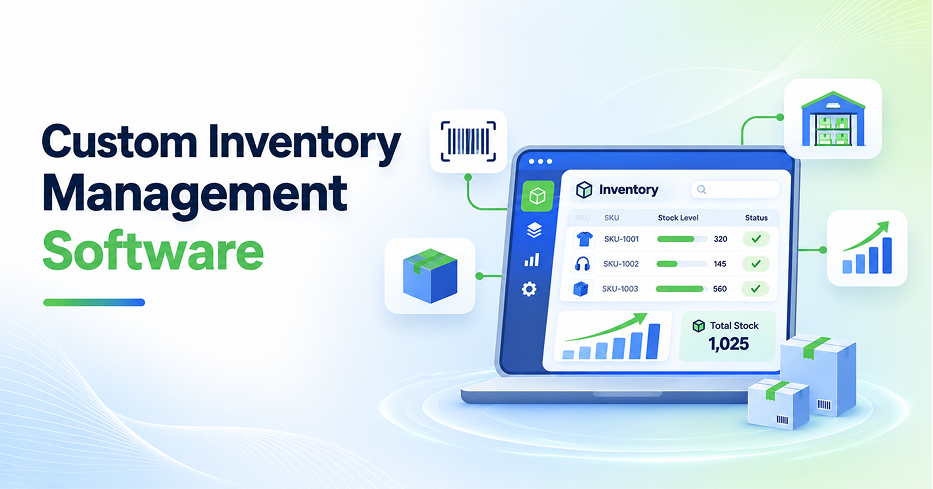
Custom inventory management software is a system built around how your business actually receives, stores, moves and sells stock. It makes sense when off-the-shelf tools force workarounds or when your volumes, locations or rules outgrow them.
This guide covers when to build, the features that matter, integrations, cost factors and how a custom project runs from first workshop to launch.
When Off-the-Shelf Inventory Software Stops Working
- You track stock in spreadsheets next to your software.
- You sell on several channels and stock goes out of sync.
- You manage multiple warehouses, stores or vans.
- You need batch, lot or expiry tracking, or serial numbers.
- You build kits, bundles or made-to-order items.
- Your reporting needs go beyond what the tool offers.
- Subscription fees rise with every user, location or order.
Core Features of Inventory Management Software
| Feature | What it should do |
|---|---|
| Product and SKU management | Variants, units of measure, barcodes, images and supplier data |
| Multi-location stock | Stock by warehouse, shelf, bin and store, with transfers |
| Receiving and putaway | Goods receipt against purchase orders, with scanning |
| Purchase orders and suppliers | Reorder points, supplier lead times and approvals |
| Order allocation and picking | Reserve stock for orders and generate pick lists |
| Batch, lot and expiry tracking | Needed for food, cosmetics, pharma and similar goods |
| Stock counts and adjustments | Cycle counts with an audit trail |
| Reporting and forecasting | Stock value, turnover, slow movers and demand forecasts |
| Roles and permissions | Who can adjust, approve or view cost data |
| Audit log | Every stock change recorded with user and time |
Advanced Features Worth Considering
- Barcode and mobile scanning for the warehouse floor.
- Demand forecasting and automatic reorder suggestions.
- Kitting, bundling and assembly.
- Landed cost calculation with freight and duties.
- Returns and quality control workflows.
- Dashboards by location, supplier or channel.
- Multi-language and multi-currency interfaces.
Integrations: The Part That Makes or Breaks the System
Inventory software is only useful if it stays in sync with the rest of your business. Typical integrations include:
- Ecommerce: Shopify, WooCommerce or marketplaces, so online availability matches real stock.
- Accounting and ERP: for purchase invoices, cost of goods and stock valuation.
- Shipping: couriers and label tools for dispatch and tracking.
- POS: stock updates from in-store sales.
- Suppliers: EDI or API feeds for purchase orders and stock levels.
For Shopify stores, see our guides to Shopify ERP integration and connecting Shopify with SAP, Odoo or Dynamics 365.
Build, Buy or Extend?
| Route | Fits | Watch out for |
|---|---|---|
| Buy off-the-shelf | Standard processes, fast start | Workarounds and growing subscription costs |
| Extend an ERP or existing tool | Your core system is good but needs extras | Customisation limits and upgrade friction |
| Build custom | Unusual processes, tight integrations, long-term cost control | Needs clear scope and ongoing maintenance |
For the general decision framework, read our Build vs Buy guide.
Custom Inventory Software Cost Factors
Estimates only: Ranges below are indicative planning figures, not quotes.
| Scope | Indicative budget (USD) | Typical contents |
|---|---|---|
| Focused MVP | 15,000 – 40,000 | Products, stock by location, orders, basic reports, one integration |
| Mid-size system | 40,000 – 100,000 | Purchasing, multi-warehouse, scanning, several integrations |
| Large or complex | 100,000+ | Batch and expiry tracking, forecasting, advanced workflows, many integrations |
The biggest cost drivers are the number of workflows, integrations, user roles, mobile scanning needs, reporting depth and migration of existing data. For general software cost benchmarks, see our guide to software development cost.
Development Roadmap
- Discovery: map your current process, pain points and goals.
- Requirements: define features, roles, reports and integrations.
- Design: wireframes, data model and workflows.
- MVP build: the smallest version that replaces the biggest pain.
- Integrations and data migration.
- Testing with real stock, scanners and users.
- Launch in one location, then expand.
- Support and improvements.
Regional Points for Europe and the Gulf
- Multi-currency stock valuation and purchasing.
- Arabic and English interfaces and labels.
- Local tax rules and regional invoicing requirements.
- Local couriers and carriers for dispatch.
- Data hosting and privacy rules, such as GDPR in Europe.
Common Mistakes
- Building every feature at once instead of an MVP.
- Skipping data cleaning before migration.
- Underestimating integrations.
- Ignoring warehouse staff when designing screens.
- No plan for maintenance and changes after launch.
Final Thoughts
Custom inventory management software pays off when off-the-shelf tools force workarounds or your volumes, locations and integrations outgrow them. Start with an MVP that fixes your biggest pain, plan integrations early, and keep a roadmap for what comes next.
A clear scope and honest numbers will tell you whether to build, buy or extend.
SolCoders combines innovation and technology to deliver scalable, high-performance software solutions that streamline operations and accelerate digital transformation.
In This Article
Frequently Asked Questions:
What is custom inventory management software?
It is inventory software built to your own processes, rules and integrations rather than a generic product.
How much does it cost to build an inventory management system?
Cost depends on workflows, integrations and users. A focused MVP costs far less than a multi-warehouse system with scanning and forecasting.
Should I build or buy inventory software?
Buy when your process is standard. Build when workarounds, integrations or growing fees make off-the-shelf tools a poor fit.
Can custom inventory software connect to Shopify?
Yes. It can sync stock, orders and fulfilment with Shopify through its APIs and webhooks.
How long does it take to build?
An MVP can take a few months. Larger systems take longer, depending on scope and integrations.
Related Blogs
Latest Blogs
Shopify B2B Customer-Specific Pricing: Native vs Custom
Shopify B2B customer-specific pricing: what catalogs do on each plan, where native pricing stops, and…

Shopify B2B Plus vs Non-Plus 2026: What You Need
Blogs E-commerce Development Shopify B2B Plus vs Non-Plus in 2026 Shopify B2B Plus vs Non-Plus…

Shopify App New Rules 2026: App Store Requirements
Shopify app new rules 2026 explained: App Store submission requirements, unique names, script tag removal,…