
- Blogs
- Software Development
- Creating Solutions That Truly Fit Your Business
Shopify B2B Plus vs Non-Plus in 2026: What Each Plan Includes and When You Need Plus
- Published: Nov 18 2026
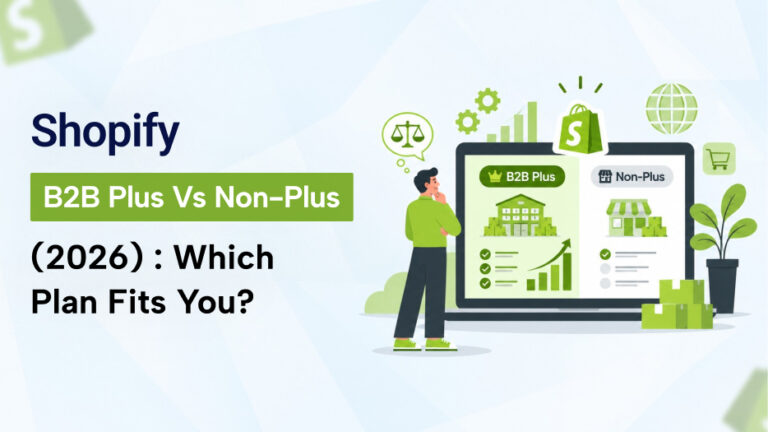
Shopify B2B Plus vs non-Plus used to be a simple question: wholesale features needed Plus. In 2026 that changed. According to Shopify’s Help Center, B2B is available on Basic, Grow, Advanced and Plus (not on Starter or Retail), and the real differences are catalogs, payment options and checkout control.
This guide explains what each plan level gives you for B2B, where non-Plus plans start to strain, and how to decide if your UAE or European wholesale business needs Plus.
Checked against Shopify: The plan details below were checked on 18 November 2026 against Shopify’s B2B features-by-plan page and pricing page. Shopify changes limits often, so re-check before you upgrade or downgrade.
Short Answer: Do You Need Shopify Plus for B2B?
- Probably not if you have a small or mid-size trade customer base, one or a few price lists and standard payment terms.
- Probably yes if you have many customer-specific price lists, need to assign catalogs to individual companies or locations, take deposits or partial payments, or need apps to control information, shipping and payment pages in checkout.
Start with what you actually need to do for buyers, then match it to the plan. Do not choose Plus because a bigger brand uses it.
How Shopify B2B Plans Changed in 2026
Native B2B is no longer limited to Plus. Shopify’s Help Center lists it on Basic, Grow, Advanced and Plus. The core features are shared across plans. The main limits sit in how many catalogs you can run, how you assign them, what payment options you get and how far storefront and checkout can adapt to B2B buyers.
Shopify B2B Features by Plan
| Feature | Basic, Grow, Advanced | Plus | Notes |
|---|---|---|---|
| Companies, locations and location-level permissions | Included | Included | Core B2B structure |
| Quantity rules and quantity price breaks | Included | Included | Minimums, increments and volume pricing |
| Net terms, payment reminders and vaulted cards | Included | Included | ACH is US only |
| Draft order to invoice, easy reorders, PO numbers | Included | Included | Useful for procurement teams |
| Trade theme, quick order list, Shopify Flow | Included | Included | Flow works with B2B automations |
| Active catalog assignments across B2B markets | Up to 3 | Unlimited | Counted per market. Biggest practical limit |
| Assign a catalog directly to a company or location | No | Yes | Plus-only |
| Sales staff permissions | Grow and above | Yes | Not on Basic |
| Contextual storefront and checkout through Markets | Advanced and above | Yes | Not on Basic or Grow |
| Deposit requirements | No | Yes | Plus-only |
| Partial payments | No | Yes | Plus-only |
| Payment requests per fulfilment | No | Yes | Plus-only |
How the catalog limit counts: Shopify counts catalog assignments separately for each active B2B market. Assigning one catalog to two active markets uses two of your three slots. To free a slot, remove the catalog from a market or set it to draft.
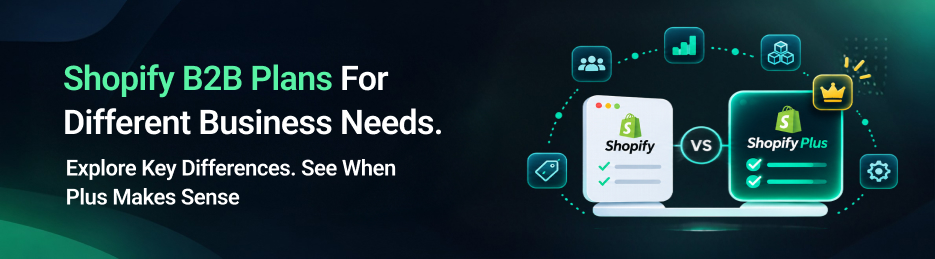
Differences between Basic, Grow and Advanced for B2B are small. Grow adds sales staff permissions, and Advanced adds contextual storefront and checkout through Markets.
Plan Costs That Matter for B2B
Shopify’s pricing page lists these US prices in US dollars. Prices in other currencies and regions may differ.
| Feature | Basic | Grow | Advanced | Plus |
|---|---|---|---|---|
| Monthly price | $25 | $65 | $399 | From $2,300 |
| Price per month, billed yearly | $19 | $49 | $299 | Not listed |
| Additional staff accounts | Not included | 5 | 15 | Unlimited |
| Active B2B catalog assignments | 3 | 3 | 3 | Unlimited |
Third-party gateway fees
Shopify says third-party transaction fees may apply when you use a payment provider other than Shopify Payments, and that the rate depends on your plan. Its pricing page does not list the percentages, so check Shopify’s billing pages for the current rate on your plan. Third-party comparisons suggest that higher plans have much lower rates, which can matter at high card volume.
Shopify Payments in the UAE and Europe
Shopify’s supported-countries page lists the United Arab Emirates and most of Europe for Shopify Payments, including the United Kingdom, Germany, France, Italy, Spain, the Netherlands, Ireland and many other EU countries. If you use Shopify Payments, the third-party fee does not apply. It matters only if you use another gateway, for example for local payment methods or a specific bank relationship. Check the supported-countries list for your exact country, since it changes.
Many large B2B orders are paid by bank transfer or on terms, which reduces the effect of card fees.
SolCoders reviews your buyers, markets and price lists, tells you honestly whether a lower plan is enough, and builds the workarounds or custom features when it is not.
Non-Plus B2B Starts to Strain
1. The three-catalog limit
Below Plus, you get up to three active catalog assignments across your B2B markets. This is the limit merchants hit first. If you sell with separate price lists for, say, UAE distributors, UK retailers and EU wholesalers, you may reach it quickly.
2. No direct catalog assignment
On non-Plus plans, pricing flows through B2B markets, not directly to a company or location. If one parent company has several locations that need different prices or ranges, setup becomes harder.
3. Payment flexibility
Net terms are available on all plans. Deposits, partial payments and payment requests per fulfilment are Plus-only. These matter for made-to-order goods, large contracts and staged deliveries.
4. Storefront and checkout adapting to B2B buyers
Contextual storefront and checkout through Markets start at Advanced, so Basic and Grow cannot adapt the storefront and checkout for B2B buyers in the same way. Beyond the B2B table, other checkout customisation limits depend on your plan. Check Shopify’s Checkout Extensibility documentation for what your plan allows, and see our guide .
5. Complex buying processes
Native B2B is simpler than enterprise commerce platforms. Formal negotiated quotes are handled through draft orders, and purchase order approval chains and requisition-heavy buying need extra tools or custom development.
When Non-Plus Is Enough
- Up to three price lists or customer groups across your markets.
- Trade customers who pay by card, bank transfer or standard net terms.
- One or a few locations per buyer.
- Reordering and quick order workflows are the main need.
- No need for deposits or staged payments.
- You are testing wholesale before you commit to higher plan costs.
When You Need Shopify Plus
- You need more than three catalogs, or you need to assign catalogs directly to companies or locations.
- You take deposits or partial payments, or request payment per shipment.
- You need checkout customisation that your plan does not allow. Check this on Shopify’s checkout documentation.
- You run a large B2B and DTC business on one store and want lower transaction fees and more staff accounts.
- You need the higher limits and support level that come with Plus.
Decision Table
| Business Requirement | Recommended Plan | Reason |
|---|---|---|
| New wholesale channel, a few price lists | Basic, Grow or Advanced | Core B2B is included |
| Several markets with different price lists | Advanced with Markets, or Plus | Catalog slots are counted per market |
| Many locations per buyer with different ranges | Plus | Direct catalog assignment |
| Large orders with deposits or staged payments | Plus | Deposits and partial payments |
| Checkout customisation beyond your plan | Check first, then Plus if needed | Depends on Shopify’s current checkout limits |
| Very complex procurement and approvals | Plus plus custom work | Native tools may not cover it |
UAE and Gulf Considerations
- Shopify Payments is listed for the UAE, so third-party fees apply only if you choose another gateway. Compare gateways on methods, fees and settlement.
- Many Gulf B2B buyers pay by bank transfer, cheque or on credit. Net terms cover part of this, and deposits need Plus.
- Plan for Arabic and English buyer accounts, and remember that every market you add can use catalog slots on non-Plus plans. See our Shopify Arabic RTL guide.
- Show prices in AED, and show UAE VAT clearly on invoices. Check requirements with your accountant.
UAE and Gulf Considerations
- B2B buyers in the EU expect VAT-exclusive prices and a valid VAT ID process. See our guide to multi-currency and VAT for EU businesses.
- Selling to several countries means several markets, currencies and often several price lists. This is where the three-catalog limit is felt.
- UK and EU price lists are often separate. Count your catalogs before you choose a plan.
Workarounds Before You Upgrade to Plus
If you are close to the limits, consider these before moving to a much higher plan:
- Combine customer groups into fewer catalogs, with percentage adjustments.
- Use customer tags and an app to control visibility. See our guides to B2B customer tags and private wholesale catalogs.
- Use Shopify Functions for custom discount rules. See our Shopify Functions Guide.
- Sync price lists from your ERP. See our guide to customer-specific pricing.
- Use draft orders for negotiated quotes.
If you still need custom behaviour after this, a custom app or integration may cost less than a plan upgrade. Compare the numbers over three years.
How to Choose: A Simple Process
- List your buyer types, markets and price lists, and count them.
- List your payment needs: terms, deposits, staged payments, cards and transfer.
- List checkout needs, such as extra fields and rules.
- Compare the list with the table above.
- Cost the plan, gateway fees and any app or custom work for both options.
- Start on the lower plan if you are within the limits, and upgrade when a limit blocks real revenue.
Common Mistakes
- Upgrading to Plus before counting catalogs and price lists.
- Forgetting that catalog slots are counted per market.
- Using an old plan table. Check Shopify’s own page, since limits change.
- Choosing a plan for features the business will not use for a year.
- Ignoring workarounds that cost less than an upgrade.
Final Thoughts
Shopify B2B Plus vs non-Plus is now a question of limits, not access. Native B2B is available below Plus, and the real differences are the catalog limit, direct catalog assignment, deposits and partial payments, and checkout control.
Count your catalogs, markets, payment needs and checkout needs first. If you fit within the limits, start on a lower plan. If you hit one that blocks revenue, upgrade or add targeted custom work.
SolCoders combines innovation and technology to deliver scalable, high-performance software solutions that streamline operations and accelerate digital transformation.
In This Article
Frequently Asked Questions:
Do I need Shopify Plus for B2B in 2026?
Not always. According to published comparisons, native B2B is available on Basic, Grow, Advanced and Plus. Plus adds unlimited catalogs, direct catalog assignment, deposits and partial payments and more checkout control.
What B2B features are Plus-only?
Shopify lists unlimited catalog assignments, direct catalog assignment to companies or locations, deposit requirements, partial payments and payment requests per fulfilment as Plus-only
How many B2B catalogs can I have without Plus?
Up to three active catalog assignments across B2B markets, counted per market. Plus has unlimited.
Are net payment terms available without Plus?
Yes. Net terms and payment reminders are available on all plans that support B2B.
Is Shopify Plus worth it for a UAE wholesale business?
It depends on your catalogs, payment needs and card volume. Shopify Payments is listed for the UAE, so card fees need not be an issue. Compare the plan price and any custom work against your actual needs.
Do EU B2B sellers need Plus?
Only if the limits block you, for example many price lists across markets. Many EU sellers can start on Advanced with Markets. Check VAT and market setup first.
Related Blogs
Latest Blogs

Shopify App New Rules 2026: App Store Requirements
Shopify app new rules 2026 explained: App Store submission requirements, unique names, script tag removal,…
Shopify B2B Wholesale: Complete Setup Guide, Features & How It Works
Blogs Software Development Shopify B2B Wholesale: Complete Setup Guide, Features & How It Works Shopify…
Shopify Functions Guide: Custom Discounts, Delivery and Payment Rules
Blogs E-commerce Development Shopify Functions Guide: Custom Discounts, Delivery and Payment Rules Shopify Functions Guide:…