
- Blogs
- E-commerce Development
- Shopify Functions Guide: Custom Discounts, Delivery and Payment Rules
Shopify Functions Guide: Custom Discounts, Delivery and Payment Rules
- Published: 25 August 2026

Written By : Sualeha
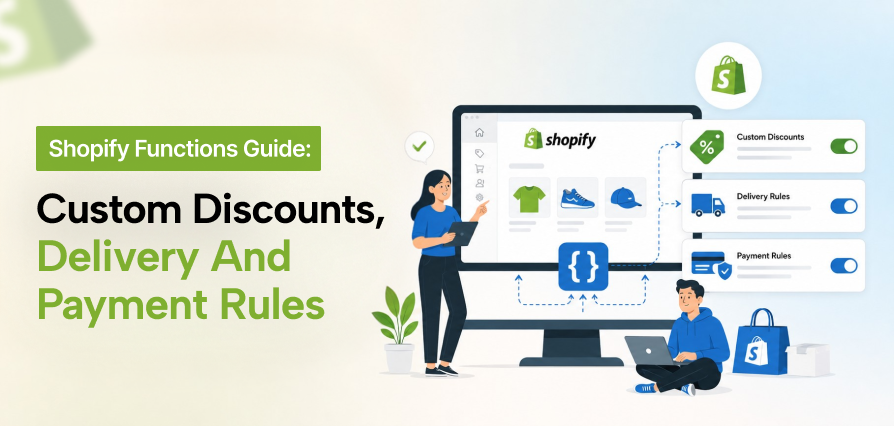
Shopify’s standard settings handle common discounts and checkout rules, but complex requirements may need custom logic. Shopify Functions let developers control discounts, delivery options, payment methods, cart behavior, and checkout validation directly in Shopify.
Each capability uses a specific part of the Shopify Functions API, so the right approach depends on the rule, available data, required action, and Shopify plan.
This guide explains how Shopify Functions work, what they can customize, their limitations, and when custom development is the right choice.
What Problems Do Shopify Functions Solve?
Shopify’s standard settings work well for straightforward discounts, shipping options, payment methods, and purchasing rules. Problems usually appear when one decision depends on several factors such as customer type, product, quantity, cart value, destination, or purchase type.
Shopify Functions handle this logic without replacing Shopify Checkout. Each Function runs at a defined target, receives permitted data, checks the configured conditions, and returns an action that Shopify validates before applying it.
Typical Shopify Functions use cases include customer-specific discounts, combined product and shipping offers, delivery restrictions, payment method controls, bundle transformations, and checkout validation.
How Do Shopify Functions Work?
Shopify runs a Function when the cart or checkout reaches a specific point. The Function reads the data requested through its GraphQL input, checks the conditions set in the logic, and returns an action Shopify can apply.
Functions run on Shopify’s infrastructure and can be built with Rust or JavaScript. They are used for backend rules within the broader Shopify Checkout Extensibility framework.
The flow works like this:
- Shopify triggers the Function.
- The Function receives the required cart or checkout data.
- It checks the defined conditions.
- It returns a supported action.
- Shopify validates and applies the result.
Each Function is limited to the data and actions supported by its API.

What Can Shopify Functions Customize?
Shopify Functions can handle custom rules for discounts, delivery methods, payment options, cart behavior, and checkout validation. Each use case has its own Function API, with different data inputs and supported actions.
Shopify Discount Function for Custom Discounts
The Shopify Discount Function API can apply product, order, and shipping discounts based on custom conditions.
For example, a wholesale customer could get 15% off selected products and free shipping once the order reaches $750. The rule can check customer data, products, quantities, cart value, tags, metafields, cart attributes, and delivery details before applying the discount.
Shopify Discount Combinations
Shopify discount combinations control whether product, order, and shipping discounts can work together in the same checkout.
A Discount Function may return more than one eligible discount, but Shopify still follows the combination settings configured for that promotion. This matters when a store already uses discount codes, automatic discounts, bundles, subscriptions, or product exclusions.
Shopify Delivery Customization
Shopify Delivery Customization can hide, rename, or reorder delivery methods shown at checkout.
A store might hide express shipping for made-to-order products, move local pickup higher in the list, or remove a delivery option for certain destinations. These rules can depend on products, cart value, customer data, or shipping location.
It only changes delivery options that already exist. It does not create new real-time carrier rates.
Shopify Payment Customization
Shopify Payment Customization controls which payment methods appear at checkout and how they are displayed.
For example, a store could hide cash on delivery above a certain order value, remove a manual payment method for specific products, or prioritize a preferred payment option.
This changes payment availability and presentation at checkout. It does not control how the payment provider processes or authorizes the transaction.
Shopify Functions Use Cases
Shopify Functions can connect pricing, eligibility, delivery, payment, cart, and validation rules to different ecommerce models.
B2B and Wholesale Stores
B2B stores can use Functions for account-specific discounts, case quantities, customer-group restrictions, shipping thresholds, payment terms, and purchase validation.
These rules should follow one defined purchasing policy so that pricing, delivery, and validation conditions remain consistent.
Bundle and Subscription Stores
Bundle and subscription stores can use Cart Transform, Discount Functions, and validation together to control bundle structure, purchase type, product eligibility, promotions, and incompatible combinations.
These implementations need coordinated testing when several Functions affect the same cart or checkout flow.
International and Restricted-Product Stores
International stores can use Functions to restrict products by destination, hide unsuitable delivery or payment methods, control regional promotions, and enforce market-specific purchasing rules.
Carrier restrictions, customs requirements, taxes, and legal requirements may still depend on external systems and accurate product data.
Are Custom Shopify Functions Available on Every Plan?
Stores on standard Shopify plans can use Shopify Functions through eligible public apps available from the Shopify App Store. Store-specific custom apps that use Function APIs are limited to Shopify Plus.
Shopify Functions for Shopify Plus are suitable when a merchant needs store-specific backend logic that native settings or an existing public app cannot support.
Some Function capabilities may have separate plan, feature, or API requirements, so availability should be checked against the selected Function before development begins. If plan selection affects the implementation, review the differences between Shopify and Shopify Plus before choosing a custom approach.
Native Shopify Settings, Public App or Custom Function?
However, it depends on how complex the rule is, whether an existing solution already supports it, and how much control the store needs.
When Native Shopify Settings Are Enough
Use Shopify’s built-in options when the complete rule can be configured without custom logic. This keeps setup simpler, reduces maintenance, and avoids adding unnecessary apps or development.
When a Public Shopify App Is the Better Option
Choose an existing app when it already supports the required rules and works with the store’s plan and checkout setup. Review pricing, compatibility, merchant controls, support, and future limitations before implementation.
When Custom Shopify Functions Development Makes Sense
Consider custom Shopify Functions development when the required business logic cannot be handled accurately through native settings or available apps. This gives the store greater control over complex discount, delivery, payment, cart, or validation rules, with configuration and maintenance aligned to future changes.
How Custom Shopify Functions Are Developed
Custom development should start with the business rule rather than choosing an API too early.
Define the Business Rule
The required data, qualifying conditions, exclusions, expected result, combination behavior, customer messages, and failure conditions should be defined before development starts.
A wholesale discount rule, for example, should clearly state which customers qualify, which products are eligible, how quantities and subtotals are calculated, and whether other promotions can be combined.
Select the Correct Function API
Each requirement should be matched to the API that supports the required action and exposes the necessary data.
Discount calculation, delivery control, payment customization, cart transformation, and validation are separate capabilities. This step determines whether the solution needs one Function, several Functions, a UI Extension, or another integration.
Plan Merchant Configuration
Values that change regularly should be stored in merchant-manageable configuration or accessible metafields when supported.
This can include discount percentages, eligible products, quantity thresholds, customer groups, markets, and activation conditions.
Develop the Function and Supporting App
Development covers the GraphQL input query, rule logic, supported outputs, app configuration, metafields, and permissions required by the implementation.
The Function should request only the fields it needs and return data that matches the selected API schema.
Test Rules and Conflicts
Testing should cover both qualifying and non-qualifying scenarios, guest and logged-in customers, partial eligibility, subscriptions, bundles, multiple currencies, discount combinations, unsupported destinations, missing configuration, and conflicts with other apps.
The goal is to confirm that every rule produces the expected result before it affects live checkout behavior.
Deploy and Maintain the Function
After deployment, execution errors, incorrect checkout behavior, app conflicts, promotion changes, configuration issues, and Shopify API updates should be reviewed.
The Function should be retested whenever connected discounts, bundle logic, checkout apps, shipping rules, or store policies change.
Shopify Scripts vs Shopify Functions
Shopify Scripts vs Shopify Functions is not always a direct replacement.
Shopify Scripts use Ruby through the Script Editor, while Shopify Functions use app-based APIs that run on Shopify’s infrastructure. Shopify Scripts stopped executing on June 30, 2026. Existing discount, shipping, and payment logic now needs to be matched with the Function API that supports the required behavior.
If an old Script feature is not supported by a current Function API, the logic must be redesigned using another supported Shopify approach.
Shopify Functions Limitations
A Function can only use data exposed by its input schema and return actions supported by that API. It cannot access unrelated store data or perform unsupported checkout actions.
When a rule depends on ERP data, external inventory, carrier information, or another third-party system, the required information may need to be synchronized before checkout and stored in data that the Function can access.
Functions handle backend commerce logic but do not create interactive checkout fields or customer-facing inputs. Those requirements may need a UI extension.
When Is a Custom Shopify Function Worth Building?
A custom Function is worth building when Shopify’s native settings and existing apps cannot accurately support a business rule that is available through a Function API.
Before development begins, the required action, available data, Shopify plan, existing app conflicts, and expected business value should all be confirmed.
A native setting or established app remains the better choice when it can produce the same result without custom code.
Shopify Plus stores with wider checkout requirements may need Functions to work alongside advanced Shopify Plus checkout rules across several parts of the purchasing flow.
Need checkout logic that Shopify’s standard settings cannot handle? Discuss your Shopify Functions requirements with SolCoders.
SolCoders combines innovation and technology to deliver scalable, high-performance software solutions that streamline operations and accelerate digital transformation
In This Article
Frequently Asked Questions:
What can Shopify Functions customize?
Shopify Functions can apply backend rules to discounts, delivery options, payment methods, cart transformations, and cart or checkout validation. The exact actions depend on the Function API being used.
How do Shopify Functions work?
Shopify runs a Function at a supported target, provides the requested data through its input schema, evaluates the Function logic, and applies the returned action when it meets the API requirements.
How do you set up a shipping discount on Shopify?
Basic shipping discounts can be created with Shopify’s native discount settings. More complex conditions can use the Discount Function API when the required customer, product, cart, or delivery data is available.
How do you combine discounts on Shopify?
Shopify controls whether eligible product, order, and shipping discounts can be combined. A Discount Function can return eligible discounts, but their final application depends on the combination and selection settings configured for the promotion.
How do you apply discounts to specific customers in Shopify?
A Discount Function can evaluate supported customer data, tags, metafields, products, quantities, and cart conditions before returning a discount. The available customer data depends on the Function input schema.
What is the difference between Shopify Functions and Shopify Scripts?
Shopify Scripts used Ruby code through the Script Editor. Shopify Functions use app-based Function APIs, run on Shopify’s infrastructure, and support current development workflows such as testing, version control, and merchant configuration.
Related Blogs
Latest Blogs

Shopify B2B Wholesale: Complete Setup Guide, Features & How It Works
Blogs Software Development Shopify B2B Wholesale: Complete Setup Guide, Features & How It Works Shopify…

Enterprise Application Integration: How it Transform Businesses
Blogs Software Development Enterprise Application Integration: How It Transforms Businesses Enterprise Application Integration: How It…

Enterprise Software Development: Complete Guide for 2026
Blogs Software Development Enterprise Software Development: Complete Guide for 2026 Enterprise Software Development: Complete Guide…