
- Blogs
- Software Development
- Enterprise Software Development: Complete Guide for 2026
Enterprise Software Development: Complete Guide for 2026
- Published: August 03, 2026

Written By : Sualeha
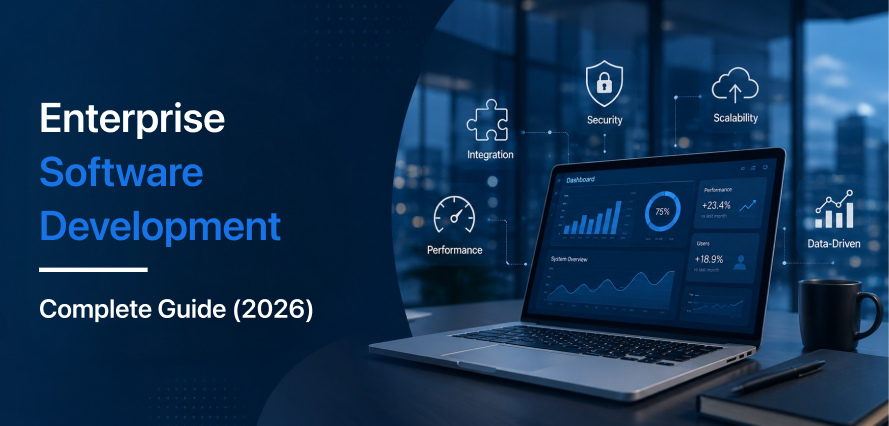
As businesses grow, disconnected systems, manual workflows, and inconsistent data start slowing operations. Enterprise software development helps solve these problems by connecting teams, data, workflows, and business applications in one coordinated environment.
For an eCommerce company, this may involve connecting with an ERP, CRM, warehouse software, payment systems, analytics tools, and internal applications. The goal is to improve business process automation, data accuracy, and operational control without forcing teams to manage information manually across multiple platforms.
This enterprise software guide explains the development process, architecture, software types, integrations, security, costs, modernization, and common challenges businesses should evaluate.
What Is Enterprise Software?
Enterprise software development is the process of planning, building, integrating, and maintaining software for organizations with complex workflows, multiple departments, large data volumes, and connected business systems.
Enterprise systems often manage sensitive data, high transaction volumes, complex rules, security controls, and compliance requirements. They may connect with ERP, CRM, accounting, inventory, fulfillment, and legacy platforms to keep information accurate across the organization.
A customer portal may look simple, but the system behind it can verify user permissions, retrieve account pricing, check inventory across warehouses, send orders for fulfillment, update the CRM, and record each action securely. This level of coordination separates enterprise software from a standard website or standalone application.
Enterprise Software vs Traditional Business Software
Standard software handles common business needs, while enterprise software is built around an organization’s specific processes, users, data, and systems.
Ready-Made Solutions for Common Tasks
These solutions provide prebuilt features for routine operations and smaller teams. Customization is usually limited, and integrations depend on available apps, plugins, or built-in connectors.
Systems Built for Complex Operations
Enterprise solutions support multiple departments, customers, partners, and administrators. They can handle custom workflows, shared data, complex integrations, role-based access, security requirements, and increasing transaction volumes.
Choosing the Right Approach
A standard solution works well when an existing product meets your requirements without major changes. A custom enterprise system is more suitable when your business needs specialized workflows, deeper integrations, stricter security, greater control, or long-term scalability.
Major Types Of Enterprise Software
Different types of enterprise software support different business functions.
Enterprise Resource Planning Systems
Enterprise resource planning systems connect areas such as finance, accounting, purchasing, inventory, manufacturing, and operations. Their main purpose is centralized data management, so departments can work with consistent information rather than maintaining separate data sources.
Customer Relationship Management Systems
Customer relationship management systems manage customer data, sales activity, communication, support history, and account information.
Custom CRM functionality may be required when standard platforms cannot support a company’s sales process, customer lifecycle, pricing structure, or account management requirements.
Supply Chain and Inventory Systems
Supply chain and inventory systems manage stock levels, suppliers, procurement, warehouses, logistics, and order movement. These applications help businesses coordinate product availability, purchasing, distribution, and fulfillment across multiple systems or locations.
Business Intelligence and Reporting Platforms
Business intelligence platforms integrate data from multiple systems and transform it into dashboards, reports, and operational insights. This gives decision-makers a more consistent view of performance without relying heavily on manual reporting.
Workflow Automation Systems
Workflow automation systems reduce repetitive work by moving tasks between users and applications automatically.
They can support purchase approvals, customer onboarding, invoice processing, inventory alerts, employee approvals, returns management, and internal operational workflows. Business process automation works best when the underlying workflow is already clearly defined.
How Does the Enterprise Software Development Process Work?
The enterprise software development process follows a structured lifecycle that starts with business requirements and continues after deployment.
1. Discovery and Business Process Analysis
Development starts by examining existing workflows, users, data, systems, bottlenecks, security needs, and operational dependencies.
The goal is to understand how work moves across the organization instead of collecting disconnected feature requests.
For example, an order management project should examine the entire process from order creation through inventory updates, payment, fulfillment, reporting, and customer support.
2. Requirements and Scope Definition
Business needs are translated into functional and technical requirements.
This stage defines what the application must do, which users can perform certain actions, what information is required, which platforms must connect, and how project success will be measured.
Clear requirements reduce unnecessary development changes and scope expansion later.
For a broader explanation of planning, design, development, testing, deployment, and maintenance, see our development lifecycle guide.
3. Enterprise Software Architecture
Enterprise software architecture defines how applications, databases, APIs, services, and infrastructure work together. It influences performance, scalability, security, integrations, and long-term maintainability.
The right architecture depends on your business needs. Monolithic architecture works well for simpler systems, while microservices and cloud-native architectures provide greater flexibility, scalability, and reliability for more complex enterprise applications.
4. UX and Interface Design
Enterprise applications need clear and practical interfaces so users can quickly understand what information matters and which actions they need to take. The interface should make each step in the workflow easy to follow.
Poor user experience can create confusion, increase training and support needs, and push employees toward manual workarounds. A well-structured interface improves adoption and helps users complete tasks more efficiently.
5. Development and Integration
Developers build application interfaces, databases, APIs, workflows, business logic, and integrations.
Development often happens in iterations so stakeholders can review working parts of the system before the complete application is finished.
Teams should define which system owns important information such as customer records, inventory, financial data, or operational data before connecting multiple applications.
6. Testing and Security Validation
Enterprise testing goes beyond checking whether screens and buttons work.
Testing should cover functionality, integrations, performance, permissions, security, data migration, failure handling, and real business workflows.
Testing complete business scenarios helps identify issues that may not appear when individual system components are tested separately.
7. Deployment, Monitoring, and Improvement
Deployment begins the operational stage of the enterprise software development lifecycle.
Teams continue monitoring system performance, integration failures, user activity, security events, errors, and changing business requirements.
Enterprise applications often require ongoing maintenance, upgrades, performance improvements, and new integrations as business needs change.
Enterprise Software Integration: Connecting Existing Systems
Most organizations already use ERP, CRM, accounting, warehouse, payment, analytics, and internal systems. Enterprise software integration connects these platforms through APIs, webhooks, middleware, message queues, or custom connectors.
Cross-System Data Management
Each system should have a clear role. For example, a CRM may manage customer data, while an ERP handles inventory and financial records. This helps prevent duplicate or conflicting information.
Legacy System Integration
Older systems may lack modern APIs, making integration harder. Middleware, custom connectors, staged synchronization, or gradual modernization can help connect legacy software with newer enterprise applications.
Enterprise Software Security
Enterprise software security should be considered throughout the development lifecycle. Enterprise applications may contain customer records, financial data, employee information, confidential business data, and operational processes.
Role-Based Access Control
Role-based access control limits what different users can view, edit, approve, export, or manage. Permissions should reflect actual job responsibilities instead of giving every user broad access.
Data Encryption
Data encryption protects sensitive information during transmission and, where required, while stored. Encryption reduces exposure if network traffic or stored information is accessed without authorization.
Authentication and Identity Management
Enterprise applications may use multi-factor authentication, single sign-on, session controls, and centralized identity management. These controls help organizations manage access more consistently across large user groups.
Logging and Activity Logs
Logs record important actions such as approvals, administrative changes, permission updates, and access to sensitive information. These records support security investigations, operational monitoring, and compliance requirements.
Enterprise Software Development Cost
Enterprise software development costs vary from project to project. A simple internal system may require a smaller budget, while a large platform that connects multiple departments, databases, users, and third-party tools will usually cost more.
The final cost depends on factors such as project scope, system architecture, integrations, user roles, data migration, security, testing, infrastructure, development time, and ongoing maintenance.
Businesses should also consider the total cost of ownership, not just the initial development cost. This includes hosting, software licenses, third-party services, maintenance, monitoring, support, security, and future updates.
Our guide to key software development cost factors explains how project scope, technology, teams, infrastructure, and timelines affect software budgets.
Enterprise Software Development Challenges and Solutions
Enterprise software development challenges include unclear requirements, system integration failures, scope creep, low user adoption, and limited scalability.
Managing these risks early helps protect the budget, timeline, and long-term value of the software.
Unclear Requirements
Projects often face delays when requirements are unclear or incomplete. Before starting development, teams should document business workflows, user roles, system dependencies, and expected outcomes.
Prototypes and stakeholder reviews can then help identify missing requirements early, reducing rework, delays, and additional costs.
Integration Issues
Enterprise applications often connect with ERP, CRM, accounting, payment, analytics, and internal database systems.
Differences in APIs, data formats, and update rules can cause failed transfers, duplicate records, or inconsistent information. Clear data ownership, validation rules, retry logic, and integration testing can improve reliability.
Changes in Project Scope
New feature requests can increase costs and extend delivery timelines when they are added without proper review.
Each request should be assessed based on business value, urgency, technical effort, and its effect on the existing project scope.
Low User Adoption
Enterprise software may fail to deliver results when employees find it difficult, slow, or confusing to use. They may avoid the system, continue using old methods, or make more mistakes while completing routine tasks.
Involving employees during development helps teams build workflows that match their daily work. Simple interfaces, practical training, clear guidance, and a phased rollout can make the software easier to adopt across the organization.
Scalability Limitations
Applications built only for current demand may struggle as users, transactions, data, locations, and integrations grow.
Capacity planning, load testing, modular architecture, and ongoing performance monitoring help the system scale without requiring a complete rebuild.
Enterprise Software Modernization
Enterprise software modernization improves outdated applications without requiring businesses to replace the entire system at once.
It may include updating old interfaces, moving parts of the system to the cloud, improving databases, creating APIs, or rebuilding components that are slow, insecure, or difficult to maintain.
A step-by-step approach can reduce downtime, costs, and operational risks compared with replacing a complete legacy system in one project.
Businesses should review maintenance costs, security risks, integration problems, technical limitations, and future needs before deciding whether to modernize the existing software or replace it.
How to Know When Your Business Needs Enterprise Software
Your business may need enterprise software when existing tools start slowing down operations or limiting growth.
Common signs include repeated data entry, heavy spreadsheet use, slow approvals, disconnected systems, inaccurate reports, manual workarounds, and outdated software that cannot support new requirements.
The investment makes sense when a new system can reduce errors, automate repetitive work, connect business data, speed up processes, and support future growth.
Final Thoughts
Enterprise software development helps organizations connect complex processes, users, applications, and data within a more controlled technology environment.
A successful enterprise system starts with clear business requirements and continues through architecture, integration, development, security, testing, deployment, and ongoing maintenance.
The right solution may involve custom software, an existing platform, an integration layer, or gradual enterprise software modernization. The best choice depends on the business problem, current systems, expected growth, and total cost of ownership.
If you’re evaluating enterprise software development for your business, connect with SolCoders to discuss your requirements and explore the approach that best fits your existing systems and workflows.
SolCoders combines innovation and technology to deliver scalable, high-performance software solutions that streamline operations and accelerate digital transformation
In This Article
Frequently Asked Questions:
How is enterprise software different from standard software?
Enterprise software supports multiple users, departments, complex workflows, and connected systems. Standard software usually handles one specific task for individuals or small teams.
What are the most common types of enterprise software?
Common types include ERP, CRM, supply chain management, business intelligence, workflow automation, inventory management, HR systems, and custom internal applications.
Should a business build custom enterprise software or buy an existing solution?
A business should choose existing software when it meets most needs at a reasonable cost. Enterprise software is better when standard solutions cannot support its workflows, integrations, access controls, or growth plans.
How does enterprise software integrate with existing systems?
Enterprise software connects through APIs, webhooks, middleware, message queues, integration platforms, and custom connectors. The integration plan should define data ownership, synchronization rules, and error handling.
Related Blogs
Latest Blogs

Shopify B2B Wholesale: Complete Setup Guide, Features & How It Works
Blogs Software Development Shopify B2B Wholesale: Complete Setup Guide, Features & How It Works Shopify…

Shopify Functions Guide: Custom Discounts, Delivery and Payment Rules
Blogs E-commerce Development Shopify Functions Guide: Custom Discounts, Delivery and Payment Rules Shopify Functions Guide:…
Enterprise Application Integration: How it Transform Businesses
Blogs Software Development Enterprise Application Integration: How It Transforms Businesses Enterprise Application Integration: How It…