
- Blogs
- E-commerce Development
- Shopify Checkout Extensibility: What It Is and Why the August 26, 2026 Deadline Matters
- Blogs
- E-commerce Development
- Shopify Checkout Extensibility: What It Is and Why the August 26, 2026 Deadline Matters?
Shopify Checkout Extensibility: What It Is and Why the August 26, 2026 Deadline Matters?
- Published: July 13, 2026

Written By : Sualeha
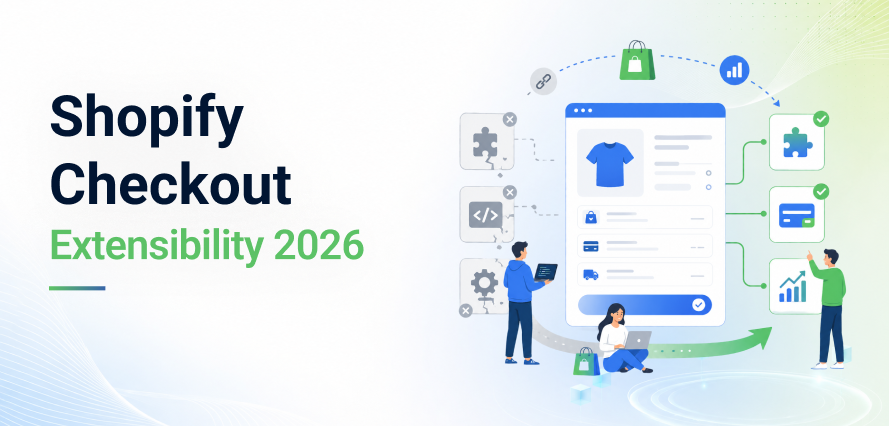
Shopify Checkout Extensibility is the platform’s new framework for customizing checkout. It replaces old-style code injection with reviewed, sandboxed extensions built using Shopify Functions, Checkout UI Extensions, and the Web Pixels API.
Every non-Plus store must complete this migration before the August 26, 2026 deadline, after which Shopify automatically removes legacy checkout code and upgrades stores to the standard checkout configuration.
This guide explains what changed, why it matters, and how to migrate your store safely, covering the exact steps, common mistakes, and testing checklist you need before publishing your new checkout.
What Is Shopify Checkout Extensibility?
Checkout extensibility is the framework that replaced free-form code injection on Shopify checkout with structured, pre-approved building blocks.
Instead of writing raw HTML and JavaScript directly into checkout.liquid, developers now build small extensions that Shopify reviews and runs in a sandbox.
How the New Checkout Framework Works?
Checkout is now a fixed, Shopify-hosted experience with defined extension points. Developers attach small, purpose-built extensions to those points instead of editing the page structure directly.
Every component, whether it’s a shipping banner, custom payment field, or Thank You page upsell to runs independently.
This isolation means a bug in one extension cannot break the rest of the checkout. It’s also part of a broader shift in how Shopify APIs power modern integrations, where core platform security stays separate from front-end customization.
Why Shopify Introduced the New Model?
The old checkout gave every installed app near-unlimited access to the page. That created three recurring problems: apps overwrote each other’s scripts, unreviewed code near payment fields created a security risk, and customizations broke every time Shopify shipped a core update.
Checkout Extensibility fixes all three. Extensions are reviewed before approval, isolated from each other, and built to survive future platform updates automatically.
Key Benefits for Merchants
- Checkout stays fast, since extensions cannot block page load.
- Customizations survive core Shopify updates without manual patching.
- Shop Pay’s one-click flow stays intact instead of breaking from third-party code.
- Development teams spend less time firefighting broken checkout code.
Shopify Checkout Extensibility Migration: Where to Start?
Rushing this migration is the fastest way to create tracking gaps and lose conversion data. Start with a full audit before updating anything.
1. Audit Your Current Checkout Customizations
Go to Settings > Checkout in your Shopify admin and open the upgrade banner. This report lists every customization tied to your current configuration, flagging anything using checkout.liquid, the Additional Scripts field, or script tags added by an app.
2. Identify Legacy Scripts and Apps
Open the Additional Scripts field and document every line: Google Ads, Meta Pixel, TikTok Pixel, affiliate tracking, and any custom JavaScript.
Then check each installed app’s changelog to confirm whether it already supports Checkout UI Extensions or still depends on legacy injection.
3. Build a Safe Migration Plan
Sort your findings into three buckets: apps that need reconfiguring, scripts that must move to the Web Pixels API, and custom logic that needs rebuilding as a Shopify Function.
Set your target date well ahead of the deadline. A thorough migration typically takes a few weeks of testing, not a single weekend.

Step-by-Step Guide to Upgrading Your Shopify Checkout
Step 1: Prepare Your Store
Back up your Additional Scripts and any custom checkout.liquid code, since neither carries over automatically.
Update your theme if needed, confirm your critical apps support Checkout Extensibility, and let your team know checkout behavior may change temporarily during testing.
Step 2: Implement Modern Alternatives
Visual and content customizations are managed through Checkout UI Extensions in the Checkout and Accounts Editor, while tracking scripts are migrated to the Web Pixels API. Discount, shipping, and cart logic are rebuilt using Shopify Functions.
Most merchants won’t need to build these from scratch because many common checkout customizations are already available through apps built for the new framework.
Step 3: Test Before Publishing
Use Shopify’s checkout sandbox to place test orders and confirm every extension displays correctly, discounts apply as expected, and every tracking pixel fires.
Test both desktop and mobile, and don’t skip Shop Pay and its accelerated flow, which bypasses some steps found in standard checkout.
Core Building Blocks of the New Checkout
What Are Shopify Functions?
Shopify functions are lightweight backend programs, written in JavaScript or Rust, that run inside a secure WebAssembly sandbox.
They let you customize discounts, shipping rates, payment methods, and cart transformations. Functions replace legacy Shopify Scripts and are deployed as apps, which makes checkout logic more secure and easier to maintain long-term.
Why the Web Pixels API Replaces Additional Scripts?
The Web Pixels API gives tracking scripts a secure, event-based way to collect checkout data without direct access to the page’s DOM.
This protects customer privacy while keeping Meta, Google, and TikTok pixels accurate. Once Additional Scripts are fully retired, the Web Pixels API becomes the only supported method for checkout tracking.
Core Building Blocks of the New Checkout
The Additional Scripts field was one of the biggest sources of tracking errors in legacy Shopify checkouts. As Shopify phases it out, all tracking must move to the Web Pixels API.
Migrating To The Web Pixels API
Go to Settings > Customer Events in your Shopify admin. Here you can add first-party pixels you manage directly, plus app-managed pixels installed through Shopify apps. Recreate each script from your audit by mapping its old behavior to supported checkout events are,
- checkout_started
- payment_info_submitted
- checkout_completed
Updating Custom Tracking Scripts
Scripts that relied on directly reading page elements need to be rewritten, since the Web Pixels API works through event subscriptions rather than DOM access. Also check whether your scripts depend on personally identifiable information and Shopify now restricts access to sensitive customer data to improve privacy and security.
Avoiding Common Migration Errors
The most frequent mistake is migrating a pixel but never verifying it in a live test order, which leaves misconfigured events unnoticed until reporting is already wrong. Other common errors include running duplicate pixels during the transition period, which inflates conversion counts, and forgetting to audit server-side or CAPI tracking endpoints.
These are the same category of common mistakes that hurt your store’s conversions, so treat pixel verification as a launch-blocking step, not an afterthought.
Meta Pixel & GA4 Checkout Tracking Migration
Checkout tracking directly affects ad performance and reporting accuracy, so verify your analytics setup immediately after migrating.
Updating Meta Pixel for the New Checkout
Checkout tracking directly affects ad performance and reporting accuracy, so verify your analytics setup immediately after migrating.
Updating Meta Pixel for the New Checkout
Reconnect Meta Pixel through Shopify’s official Meta integration, which supports the Web Pixels API and automatically tracks standard events like Purchase, InitiateCheckout, and AddPaymentInfo.
If your store uses custom events, rebuild them through Customer Events instead of legacy checkout scripts.
Setting Up GA4 Checkout Tracking
Configure GA4 through Shopify’s Google & YouTube app, or another compatible integration.
Confirm that begin_checkout, add_payment_info, and purchase events fire correctly, with accurate order value, currency, and transaction IDs.
Best Practices for Accurate Conversion Tracking
After migrating, place several test orders and compare Shopify’s order data against Meta Events Manager and GA4 reports.
Check for duplicate or missing events, confirm revenue figures match your Shopify admin exactly, and document your finished tracking setup so future audits are faster.
Shop Pay Integration and the New Shopify Checkout
Shop Pay is central to Shopify’s modern checkout experience. Built on Checkout Extensibility, it delivers a faster checkout while keeping your customizations working correctly inside its accelerated flow.
Native Integration
Custom checkout experiences now integrate directly with Shop Pay’s accelerated checkout, removing many of the compatibility issues caused by legacy scripts and providing a more consistent checkout experience.
Faster Checkout, Better Conversions
Extensions are built to be lightweight and performance-friendly, which keeps checkout fast. Faster checkouts reduce friction, especially on mobile, and can meaningfully improve conversion rates.
Test the Shop Pay Experience Separately
Always test upsells, discounts, delivery options, and tracking events specifically through the Shop Pay flow. Because Shop Pay streamlines parts of checkout, some extensions and tracking events behave differently than they do in standard checkout.
Shopify Plus vs. Non-Plus Stores: What's the Difference?
All Shopify stores run on the same modern checkout framework, but how much you can customize depends on your plan.
Shopify Plus
Shopify Plus gives full access to Shopify Functions for payment, delivery, discounts, validation, and order routing. It also supports advanced Checkout Extensions and full access to the Carrier Service API for custom shipping calculations.
Non-Plus Stores
Shopify checkout extensibility for non-Plus stores still covers Shopify Functions and UI extensions, which is enough customization for most merchants. Advanced features like B2B pricing, custom payment or delivery logic, complex shipping rules, and sophisticated order routing remain Plus-only.
Best Shopify Checkout Extensibility Apps
Most merchants don’t need to rebuild every feature from scratch. Many Shopify apps already support Checkout Extensibility using Checkout UI Extensions, Shopify Functions, and the Web Pixels API.
When evaluating an app, look for support for checkout branding, custom fields, delivery instructions, post-purchase offers, and analytics built specifically for the new framework. Avoid any app that still depends on legacy checkout scripts.
Common Shopify Checkout Extensibility Issues and How to Fix Them
App Compatibility Issues
Some older apps haven’t been updated to support Checkout Extensibility yet. Check the app’s documentation or changelog, contact the developer directly if needed, and replace apps that are no longer actively maintained before they cause compatibility problems post-migration.
Broken Legacy Scripts
Legacy checkout scripts cannot run inside Shopify’s sandboxed checkout environment at all. Instead of trying to copy old code over, rebuild interface elements with Checkout UI Extensions, business logic with Shopify Functions, and tracking with the Web Pixels API.
Tracking and Pixel Errors
If purchase data in Meta Ads or Google Analytics doesn’t match your Shopify orders, the cause is almost always a tracking configuration issue. Remove duplicate pixels, confirm purchase value and currency parameters map correctly, and test every event with platform debugging tools before going live.
Checkout Performance Issues
If checkout slows down after migration, review every installed extension and remove anything that isn’t essential. Keeping only high-value extensions active protects both checkout speed and the customer experience.
How to Test Changes Using the Checkout Sandbox?
Testing matters because a broken extension or a missing tracking event often fails silently, and you won’t notice until revenue or reporting is already affected.
Why does testing matter?
A dedicated testing phase helps to confirm that every checkout customization, tracking pixel, discount, and extension works as expected before customers begin using the new checkout. Identifying problems early prevents lost sales and inaccurate reporting after launch.
Recommended Test Scenarios
- Complete test orders through both standard checkout and Shop Pay.
- Discount codes, gift cards, and multiple payment methods.
- Custom shipping options and every installed checkout extension.
- Full verification on both desktop and mobile devices.
Pre-Launch Checklist
- All legacy checkout customizations have been removed.
- Purchase tracking is recording accurate, de-duplicated data.
- Checkout UI Extensions display correctly across devices.
- Discount and shipping logic behave as expected.
- A rollback plan is ready in case of unexpected issues after launch.
Best Practices for Long-Term Checkout Maintenance
Keep Checkout Simple
Every additional extension adds complexity. Install only what genuinely improves the customer experience or lifts conversions, and remove apps you’re no longer using.
Prioritize Native Shopify Features
Use Shopify’s built-in checkout capabilities over custom code or third-party workarounds wherever possible. Native features receive ongoing platform support and automatically stay compatible with future Shopify releases.
Monitor Performance After Every Update
Shopify updates its checkout platform regularly. Review your checkout after each major release to confirm that tracking pixels, Checkout UI Extensions, and third-party integrations are still working correctly.
Document Your Checkout Setup
Keep clear documentation of your Checkout UI Extensions, Shopify Functions, tracking configuration, and installed apps. This makes future maintenance, troubleshooting, and migrations significantly faster.
Final Thoughts
Migrating a live checkout without losing tracking data or upsell revenue takes real, hands-on experience with Shopify Functions, Checkout UI Extensions, and the Web Pixels API. When picking the right development partner for migration, you need a team that combines technical depth with a working understanding of e-commerce performance.
Your checkout needs ongoing attention even after migration and Shopify updates the platform continuously. SolCoders’ team of experts monitors performance, tracking accuracy, and custom functionality so issues get caught before they affect your store.
Migrating before the August 26, 2026 deadline protects your customizations, keeps your tracking data accurate, and future-proofs your checkout against upcoming platform changes.
Need help migrating to Shopify Checkout Extensibility? Contact SolCoders to upgrade your checkout, preserve tracking, and ensure a smooth migration before the deadline.
SolCoders combines innovation and technology to deliver scalable, high-performance software solutions that streamline operations and accelerate digital transformation
In This Article
Frequently Asked Questions:
What is Shopify Checkout Extensibility?
It’s Shopify’s modern framework for safely customizing checkout, built on Checkout UI Extensions, Shopify Functions, and the Web Pixels API, replacing raw code injection into checkout.liquid.
Why is checkout.liquid deprecated?
Shopify checkout.liquid is deprecated because it allowed unreviewed code to run directly on the checkout page, creating security risks and customizations that broke with every core update. The new framework fixes both problems through reviewed, sandboxed extensions.
What is the Shopify Checkout Extensibility deadline?
The Checkout Extensibility deadline for non-Plus stores is August 26, 2026. Shopify Plus stores already passed an earlier deadline for their primary checkout pages.
What happens after August 26, 2026?
Shopify will automatically upgrade eligible stores to the standard checkout configuration and remove all legacy checkout code and customizations. This is the Shopify auto-upgrade process, and it happens without merchant action.
How do I migrate to the new Shopify checkout?
Audit your current checkout settings, map every legacy customization to a supported extensibility tool and test everything thoroughly in the checkout sandbox before publishing.
What replaces Additional Scripts?
The Web Pixels API is the official, secure replacement for all checkout tracking, conversion pixels, and analytics scripts.
Related Blogs
Latest Blogs

Shopify B2B Wholesale: Complete Setup Guide, Features & How It Works
Blogs Software Development Shopify B2B Wholesale: Complete Setup Guide, Features & How It Works Shopify…

Shopify Functions Guide: Custom Discounts, Delivery and Payment Rules
Blogs E-commerce Development Shopify Functions Guide: Custom Discounts, Delivery and Payment Rules Shopify Functions Guide:…

Enterprise Application Integration: How it Transform Businesses
Blogs Software Development Enterprise Application Integration: How It Transforms Businesses Enterprise Application Integration: How It…