
- Blogs
- E-commerce Development
- Shopify Headless Commerce: Complete Guide for Fast-Growing Brands
- Blogs
- E-commerce Development
- Shopify Headless Commerce: Complete Guide for Fast-Growing Brands
Shopify Headless Commerce: Complete Guide for Fast-Growing Brands
- Published: July 06, 2026

Written By : Sualeha

Shopify Headless Commerce is quickly becoming the go-to architecture for brands that have outgrown the limitations of traditional Shopify themes.
Modern eCommerce moves fast, and customer expectations move even faster, buyers want instant load times, seamless mobile experiences and personalized journeys across every touchpoint.
For many fast-growing brands, traditional Shopify themes start to feel restrictive the moment traffic, complexity, or customization needs scale up.
By separating the frontend customer experience from the backend commerce engine, headless architecture gives brands the freedom to build exactly the storefront they envision, without being boxed in by theme limitations.
In this guide, we’ll break down what headless commerce actually means, how it works, when it makes sense, and what it costs, so you can make an informed decision for your business.
What Is Shopify Headless Commerce?
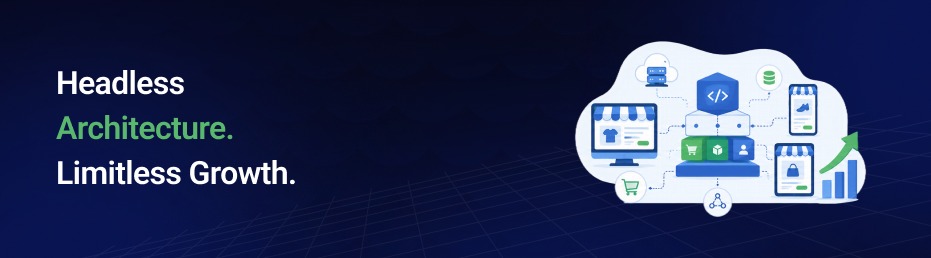
Shopify Headless Commerce is an architecture that separates the frontend (what customers see) from the backend (where products, inventory, and orders are managed).
Instead of relying on a traditional Shopify theme, developers build a custom storefront with frameworks like React, Next.js, or Remix, while Shopify powers the backend through the Shopify Storefront API.
In a traditional Shopify store, the frontend and backend are tightly connected through Liquid themes. While this works for many businesses, it can limit design flexibility and performance. A Headless Commerce Architecture removes these limitations by connecting the storefront to Shopify through APIs.
With Headless Shopify, brands gain greater control over the customer experience while Shopify continues to manage checkout, inventory, and orders. This API-first commerce approach is ideal for businesses that need faster websites, custom storefronts, and omnichannel experiences.
How Does Shopify Headless Commerce Work?
The storefront connects to Shopify’s API ecosystem, enabling developers to build fast, flexible, and fully customized shopping experiences, while Shopify continues to manage products, inventory, orders, payments, and customer data.
Because each component operates independently, businesses can update, scale, or replace individual parts without disrupting the rest of the commerce stack.
Shopify Backend
The Shopify back end continues to handle core commerce operations, including product management, inventory tracking, customer accounts, order processing, and payment management, just like a traditional Shopify store.
Shopify Storefront API
The Shopify Storefront API serves as the connection between your custom storefront and Shopify. Using GraphQL, it delivers product information, pricing, collections, customer data, and other commerce functionality to the front end in real time.
Custom Frontend
Developers build the storefront using modern tech frameworks. This provides complete control over design, performance, user experience and functionality while creating a unique Headless Shopify Store.
Shopify Hydrogen
Shopify Hydrogen is Shopify’s React-based framework for building headless storefronts. It includes pre-built commerce components, supports server-side rendering, simplifies development, and integrates seamlessly with Shopify’s APIs.
Shopify Oxygen
Shopify Oxygen is Shopify’s global hosting platform for Hydrogen storefronts. It optimizes performance, improves page load speeds, and provides scalable infrastructure for headless commerce applications.
Shopify Checkout
Although the storefront is fully customized, most businesses continue using Shopify’s secure, PCI-compliant checkout. This preserves Shopify’s optimized checkout experience, helps maintain high conversion rates, and ensures reliable payment processing and security.
Core Layers of Shopify Headless Commerce Architecture
A Shopify Headless Commerce Architecture separates the storefront from Shopify’s commerce engine, allowing each layer to work independently.
This API-first approach gives businesses greater flexibility to customize the customer experience, integrate third-party tools, and scale their ecommerce stack without rebuilding the entire store.
Frontend Layer
The custom storefront customers interact with, built using frameworks like React, Next.js, or Shopify Hydrogen for complete design and performance control.
Backend Layer
Shopify manages core commerce operations, including products, inventory, customers, orders, payments, and checkout.
API Layer
The Storefront API connects the front end with Shopify’s back end, enabling real-time access to products, collections, pricing, and customer data.
CMS Layer
A headless CMS, such as Contentful or Sanity, allows marketing teams to create and manage content independently without requiring developer support.
Checkout Layer
Checkout typically remains on Shopify, leveraging its secure, optimized, and high-converting checkout experience.
Third-Party Integrations
Services such as CRMs, ERPs, loyalty programs, search solutions, and personalization tools integrate through APIs, making it easy to extend functionality without modifying the storefront.
Shopify Storefront API: How to Get Products
One of the first things developers build in a headless storefront is product retrieval. Instead of relying on traditional REST endpoints, the Shopify Storefront API uses GraphQL, allowing you to request exactly the product data you need in a single query. This keeps requests efficient and helps improve overall storefront performance.
A simple GraphQL query to fetch products looks like this:
query GetProducts {
products(first: 10) {
edges {
node {
id
title
description
featuredImage {
url
altText
}
priceRange {
minVariantPrice {
amount
currencyCode
}
}
variants(first: 5) {
edges {
node {
id
title
availableForSale
}
}
}
}
}
}
}
The query is sent to your store’s Storefront API endpoint using a Storefront API access token.
Shopify returns the response as structured JSON, which frameworks like Hydrogen, React, and Next.js can render directly into your custom storefront.
Why It Matters?
Because GraphQL returns only the fields your storefront actually needs, pages load faster and unnecessary data isn’t transferred. That means better performance, improved Core Web Vitals, and a smoother shopping experience.
Shopify Wishlist API: Adding Wishlist Functionality
Shopify doesn’t include a built-in wishlist feature, but it’s easy to add one to a headless storefront. Most implementations follow one of these approaches:
- Customer Metafields: Store each customer’s saved product IDs directly in Shopify.
- Third-party wishlist apps: Use solutions like Swym or Wishlist King for advanced functionality.
A typical metafield-based workflow is:
- Create a customer metafield (for example, custom.wishlist) to store product IDs.
- Update the metafield through the Shopify Admin API when a customer clicks Add to Wishlist.
- Retrieve the saved IDs and fetch the related products using the Storefront API.
- Display the wishlist in your Hydrogen, React, or Next.js storefront.
Why use this approach?
This approach keeps wishlist data within Shopify, making it easier to manage, scalable as your business grows, and consistent across devices. For more advanced features, you can integrate a dedicated wishlist app.
Headless Commerce vs Traditional Commerce: Which Is Right for Your Business?
The right approach depends on your business goals, budget, and technical requirements. While traditional Shopify offers simplicity and faster deployment, a headless setup provides greater flexibility, performance, and scalability for growing brands.
Traditional Shopify
Traditional Shopify is ideal for businesses that want to launch quickly with minimal development effort. Its built-in theme system makes setup, maintenance, and updates simple, making it a practical choice for startups and small to mid-sized businesses that prioritize ease of use and lower upfront costs.
Headless Shopify
Headless Shopify is designed for brands that need more control over the customer experience. By separating the storefront from Shopify’s backend, it enables faster performance, advanced customization, and seamless omnichannel experiences.
It’s best suited for businesses planning to scale, integrate multiple systems, or build a fully custom ecommerce storefront.
Key Benefits of Headless Commerce
Here are the benefits that go beyond design flexibility. It helps businesses build faster storefronts to improve customer experiences, scale across multiple channels, and adapt quickly as their ecommerce needs grow.
Faster Website Performance:
Custom storefronts built with modern frameworks load much faster than traditional theme-based stores, improving the overall shopping experience.
Better Core Web Vitals
Faster loading, smoother interactions, and improved visual stability help boost Core Web Vitals, supporting both SEO performance and conversion rates.
Enhanced Customer Experience
Complete control over the frontend allows businesses to create intuitive user journeys, unique designs, and seamless shopping experiences that match their brand.
Omnichannel Commerce
A single Shopify backend can power websites, mobile apps, kiosks, smart devices, and other digital touchpoints, ensuring a consistent customer experience everywhere.
Greater Flexibility
Easily integrate or replace CMS platforms, third-party tools, and marketing technologies without rebuilding the entire commerce stack.
Scalability for Growth
Headless architecture is designed to handle growing product catalogs, high-traffic events, and expanding international operations without sacrificing performance.
Improved Developer Experience
Developers can build with modern technologies like React, Next.js, GraphQL, and Shopify Hydrogen, making development faster, more efficient, and easier to maintain.
Advanced Personalization
API-first architecture makes it easier to deliver personalized product recommendations, dynamic content, and tailored shopping experiences based on customer behavior.
When Should You Choose Shopify Headless Commerce?
Headless architecture is a smart choice when your business starts outgrowing the limitations of a traditional theme. If you need greater flexibility, advanced customizations, and the ability to deliver fast, consistent shopping experiences across multiple channels, it’s worth considering.
The right choice depends on your business goals, technical requirements, and growth plans. If your current storefront is limiting performance or flexibility, moving to a headless architecture can help support future growth.
However, if speed to launch and lower development costs are your priorities, a traditional setup remains a practical option.
Good fit for:
- Enterprise and Shopify Plus brands with complex needs.
- High-traffic stores where every millisecond of load time matters.
- Global brands managing multiple storefronts or currencies.
- Businesses with heavy third-party integrations (CRM, ERP, PIM).
- Brands selling across multiple channels beyond a single website.
A traditional Setup:
- Need to launch quickly with a limited budget.
- Have a simple product catalog and standard ecommerce requirements.
- Don’t require advanced customizations or complex integrations.
- Prefer a lower-maintenance solution built around Shopify’s native features.
How to Implement Headless Shopify?
Migrating to a headless architecture requires careful planning, the right technology stack, and ongoing optimization. The overall investment depends on your business requirements, integrations and the level of customization needed.
1. Audit Your Current Store and Goals
Identify exactly where your current theme is limiting speed, design, or omnichannel reach, so the rebuild solves real problems instead of adding complexity for its own sake.
2. Choose Your Frontend Framework
Decide between Shopify Hydrogen for a faster, pre-integrated build, or a fully custom React, Next.js, or Remix front end for maximum control.
3. Plan Your API and Integration Layer
Map how the Storefront API will connect to your CMS, CRM, ERP, and any personalization or loyalty tools you plan to use.
4. Build and Test the Storefront
Develop the front end in stages, testing performance, cart functionality, and checkout handoff at every step rather than only at the end.
5. Migrate Content and Launch
Move product data, content, and SEO assets over carefully, then launch with monitoring in place to catch performance or conversion issues early.
6. Monitor, Iterate and Optimize
Headless is never really “done.” Track Core Web Vitals, conversion rates, and user behavior, then keep refining the storefront over time.
Shopify Hydrogen: Shopify's Framework for Headless Storefronts
Headless storefronts can be built with any modern JavaScript framework, but Shopify recommends Hydrogen because it’s purpose-built for its commerce ecosystem.
It comes with pre-built components, built-in integrations, and optimized performance, allowing developers to launch custom storefronts faster without building core commerce functionality from scratch.
Why Shopify Created Hydrogen?
Building a headless storefront with plain React requires developers to manually create product fetching, cart functionality, API integrations, and other commerce features.
Hydrogen solves this by providing these capabilities out of the box, reducing development effort while following Shopify’s best practices.
Hydrogen vs. Custom React
Both can power a headless storefront, but Hydrogen offers Shopify-specific tools that simplify development and improve efficiency.
Commerce Functionality
With custom React, developers must manually build core commerce features such as carts, product pages, and checkout integrations. Hydrogen includes many of these capabilities out of the box, reducing development effort.
API Integration
A custom React storefront requires developers to connect Shopify APIs manually. Hydrogen comes pre-integrated with Shopify’s APIs, making data fetching and commerce operations much simpler.
Development Speed
Building a storefront with custom React typically takes longer because every commerce feature must be developed from scratch. Hydrogen accelerates development with reusable components and built-in utilities.
Performance Optimization
Developers using plain React are responsible for optimizing performance themselves. Hydrogen includes performance-focused features designed specifically for modern ecommerce storefronts.
Shopify Compatibility
Custom React can work with Shopify but requires additional setup and maintenance. Hydrogen is built specifically for Shopify, providing seamless compatibility with its ecosystem, including Oxygen hosting and the Storefront API.
Key Benefits of Hydrogen
Hydrogen helps developers build high-performance headless storefronts more efficiently while staying closely integrated with Shopify’s ecosystem.
- Smooth Development: Pre-built commerce components reduce development time.
- Optimized Performance: Built-in features help deliver faster page loads and better user experiences.
- Native Shopify Integration: Works seamlessly with Shopify APIs and commerce services.
- Oxygen Compatibility: Deploy and host storefronts easily using Shopify Oxygen.
- Ongoing Shopify Support: Regular updates and improvements from Shopify ensure long-term reliability.
Challenges and Considerations of Going Headless
However, it offers significant flexibility and performance benefits, but it also introduces additional planning, development, and maintenance requirements.
Understanding these trade-offs helps businesses decide whether a headless architecture aligns with their long-term goals.
Higher Initial Investment
Custom development typically requires a larger upfront budget than using a standard Shopify theme because the storefront is built from scratch.
Increased Technical Complexity
Managing separate frontend and backend systems requires experienced developers and careful coordination across integrations.
Longer Development Timeline
A custom storefront generally takes longer to design, develop, test, and launch compared to a traditional Shopify implementation.
Ongoing Maintenance
Headless storefronts require continuous updates, feature enhancements, and API maintenance to keep the experience secure and optimized.
Final Thoughts
Shopify Headless Commerce gives growing brands the speed, flexibility, and scalability needed to deliver modern shopping experiences across multiple channels.
Although it requires a larger upfront investment and experienced developers, the long-term benefits, including improved performance, greater design freedom, and easier scalability, often outweigh the initial complexity.
If you’re planning to build a Shopify store architecture from scratch or migrate an existing store to a headless setup, SolCoders can help you choose the right technology stack and build a high-performing commerce experience designed for long-term growth.
SolCoders combines innovation and technology to deliver scalable, high-performance software solutions that streamline operations and accelerate digital transformation
In This Article
Frequently Asked Questions:
What Is Shopify Headless Commerce?
It’s an architecture that separates the front-end storefront from Shopify’s back end, connecting them through APIs. Developers build a custom front end while Shopify manages products, inventory and checkout, giving brands more design flexibility and performance control.
What's the Difference Between Headless Shopify and Traditional Shopify?
Traditional Shopify uses Liquid themes tightly connected to the back end for simplicity and fast setup. Headless Shopify decouples the front end through APIs, offering greater customization and speed, but requiring more development resources.
What Is Shopify Hydrogen?
Hydrogen is Shopify’s official React-based framework for building headless storefronts. It comes pre-integrated with Shopify’s APIs, cart, and checkout, cutting development time compared to building from scratch.
How Much Does Shopify Headless Commerce Cost?
Costs range from $15,000–$40,000 for small businesses, $40,000–$100,000 for mid-market brands, and $100,000+ for enterprise builds, depending on integrations and design complexity.
When Is Shopify Headless Worth It?
It’s worth it when you need advanced customization, smooth performance, or omnichannel selling that themes can’t support, especially for enterprise brands, high-traffic stores, and multi-storefront businesses.
Should every Shopify Plus Brand Go Headless?
Not necessarily. Shopify Plus brands with high traffic and complexity benefit most, but brands with simpler catalogs or limited dev resources may do better with a traditional setup.
Related Blogs
Latest Blogs

Shopify B2B Wholesale: Complete Setup Guide, Features & How It Works
Blogs Software Development Shopify B2B Wholesale: Complete Setup Guide, Features & How It Works Shopify…

Shopify Functions Guide: Custom Discounts, Delivery and Payment Rules
Blogs E-commerce Development Shopify Functions Guide: Custom Discounts, Delivery and Payment Rules Shopify Functions Guide:…

Enterprise Application Integration: How it Transform Businesses
Blogs Software Development Enterprise Application Integration: How It Transforms Businesses Enterprise Application Integration: How It…