
- Blogs
- E-commerce Development
- How to Create a Shopify Mobile App: Complete Step-by-Step Guide (2026)
- Blogs
- E-commerce Development
- How to Create a Shopify Mobile App: Complete Step-by-Step Guide (2026)
How to Create a Shopify Mobile App: Complete Step-by-Step Guide (2026)
- Published: April 22, 2026

Written By : Sualeha
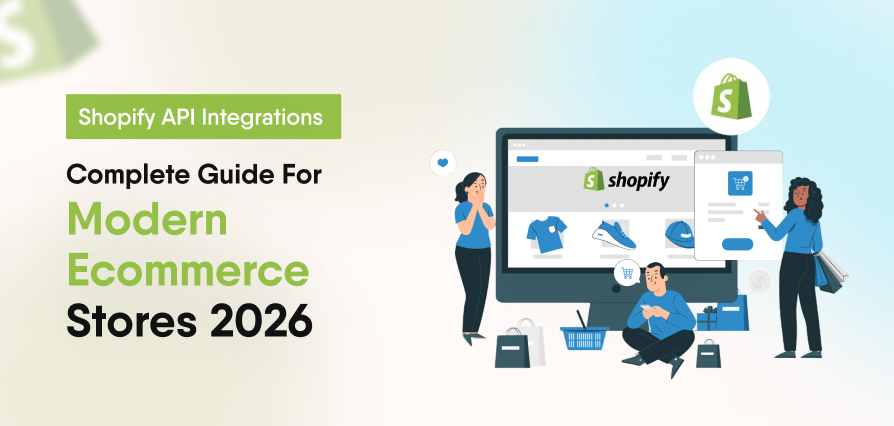
Building a Shopify mobile app in 2026 is one of the most effective strategies for eCommerce growth, helping brands boost conversions, increase customer retention, and thrive in a mobile-first market.
This complete Shopify app development guide covers everything you need to know, from planning and choosing the right app type to development tools, Shopify APIs, deployment, and monetization strategies.
Whether your goal is Shopify application development for business growth or building a multi-merchant platform, every step plays a crucial role in shaping success.
What Is Shopify App Development ?
Shopify is an API-first eCommerce platform where every app connects through the Shopify Admin API, Storefront API, or both. This architecture allows developers to build powerful, scalable applications that integrate directly with Shopify’s ecosystem.
Apps in Shopify can be embedded in the admin panel, integrated into the storefront, or built as standalone mobile solutions. This flexible structure supports a wide range of business use cases.
Understanding Shopify’s API-driven ecosystem is essential before development, as every app relies on secure data exchange and proper integration within Shopify’s framework.
Three Types of Shopify Apps
There are three main types of apps you should understand before starting development:
Public apps
Listed on the Shopify App Store and available to all merchants. They require Shopify’s review process, must follow strict quality standards, and include features like billing API integration and compliance with App Store guidelines.
Private apps
Built for a single store and not listed publicly. They are faster to build and deploy because they skip the App Store review process, making them ideal for store-specific needs.
Custom apps
Similar to private apps, but installed via a direct link. These are commonly used by agencies to deliver tailored solutions for individual clients.
Why the App Type Matters?
Choosing incorrectly may mean rebuilding later. Shopify Public app development follows strict App Store review, while Shopify private app development skips it for quicker deployment. Pick based on users, not urgency.
These solutions focus on essential features such as user authentication, data management, and straightforward reporting. They often include clean, functional interfaces and limited integrations ideal for startups launching their first digital product or internal tool.
Top Features That Make a Shopify App Successful
Merchants and users expect core capabilities from day one. Building around these essentials prevents costly rebuilds later.
Real-Time Sync
Your app must sync live product data via the Shopify Admin API. If stock changes in-store, it should reflect instantly in the app. Outdated inventory quickly breaks user trust and harms conversions.
Push Notifications
Push notifications deliver significantly higher engagement than email in mobile commerce. Enable alerts for order confirmations, shipping updates, and promotional campaigns. This is a must-have feature that users actively look for before installing.
Secure Shopify API Integration
Every request to Shopify must be properly authenticated. Use OAuth 2.0 for public apps and API access tokens for private apps. Secure Shopify API integration is essential to avoid failed authentication, which leads to broken user experiences and unreliable apps.
Mobile-Optimized Checkout
While Shopify manages checkout natively, your app must ensure a seamless mobile experience. With Shopify deprecating checkout. liquid in 2026, use Checkout UI Extensions to customize safely without compromising security or performance.
Analytics & Performance Dashboard
Merchants need actionable insights. A simple dashboard showing revenue, orders, and top-selling products improves retention and encourages repeat usage. Even basic analytics significantly increase long-term app value.
Step-by-Step Shopify App Development Guide
This complete Shopify app development process takes you from idea validation to live deployment. Follow each step to avoid delays or rejection.
Step 1: Validate App With Real Merchants
Talk to five merchants before writing any code. Ask them what problems they face that no existing Shopify app solves well. One honest conversation with a merchant is worth more than a week of competitor research.
Step 2: Create a Shopify Partners Account
Go to partners.shopify.com and create a free account. This gives you access to the Dev Dashboard, API credentials, and development stores. Without a Partner account, you cannot build or test any app.
Step 3: Dev Dashboard and Store
Shopify now uses the Dev Dashboard 2026 update instead of the old Partner Dashboard. Developers create a development store from here to safely test your app in a sandbox environment that doesn’t affect real customers or orders.
Step 4: Install Shopify CLI
The Shopify CLI setup starts with a single command that generates your entire project structure automatically. Shopify recommends using Node.js with the Remix framework for a modern, scalable app architecture. Shopify CLI helps you quickly scaffold and manage your app.
Setup Process:
- Install Node.js v18 or later.
- Run: npm install -g @shopify/cli@latest
- Run: shopify app init to scaffold the project
Step 5: App Logic and API Connections
Use GraphQL for the Admin API because it is faster and more efficient than REST for most use cases. Start by building the authentication flow first, then add features one at a time instead of trying to build everything at once.
Step 6: Handle GDPR Webhooks
Shopify requires three GDPR webhooks are shop/redact, customers/redact, and customers/data_request. They must be implemented early, or the app will be rejected.
Step 7: Test Thoroughly
Before submitting your Shopify app, thoroughly test the full installation flow, order creation and updates, webhook functionality, and edge cases with error handling. Shopify reviewers check the same areas, so any bugs or broken flows can result in immediate rejection.
Step 8: Submit to the Shopify App Store
Once testing is done, submit your listing through the Dev Dashboard. Expect a 2–4 week review period and respond to feedback within 48 hours.
Key Tools for Building Shopify Mobile Apps
Using the right Shopify app development tools speeds up development, improves code quality, and reduces the risk of shipping broken features.
Shopify CLI
Shopify CLI handles app scaffolding, local development, and deployment. It connects directly to your Shopify Partner account and development store, making setup and workflow faster and more reliable.
Shopify Polaris
Polaris is Shopify’s official open-source design system for admin interfaces. It ensures your app UI feels native inside the Shopify admin, improves usability, and helps meet App Store review standards.
Shopify App Bridge
App Bridge is a JavaScript library used for embedded apps inside the Shopify admin. It enables communication between your app and Shopify’s admin environment, and is required for embedded app functionality.
Postman / Insomnia
Postman or Insomnia are essential for testing Shopify APIs before frontend integration. They help catch authentication issues, permission errors, and incorrect queries early in the development process.
How to Convert a Shopify Store Into a Mobile App
Converting a Shopify store into a mobile app is different from building backend or admin tools. This approach focuses on the customer-facing experience, and you generally have two main options depending on your budget, control, and scalability needs.
Option 1: No-Code App Builder
Platforms such as Tapcart, Vajro, and MageNative make it simple to create a Shopify app without development work. They keep your products, collections, and store data synced automatically. The drawback is limited flexibility in design and increasing monthly costs over time.
Option 2: Custom React Native or Flutter App
For full control, you can build a custom mobile app using React Native or Flutter connected to the Shopify Storefront API. This approach takes more time and technical effort but gives you complete ownership over design, performance, and user experience.
However, it is the better choice for brands with advanced UX requirements, complex features, or large product catalogs.
How Much Does It Cost to Build a Shopify App?
Shopify app development cost depends on the development approach, required features, integrations, design requirements, and overall app complexity.
App builders can suit basic Shopify stores, while custom mobile apps built with React Native or Flutter usually cost more because they require custom development, integrations, testing, and ongoing technical support.
Development costs can vary significantly based on project scope, third-party integrations, maintenance, and infrastructure requirements. Our Shopify app development cost guide covers current price ranges, recurring costs, and the main factors that influence the total budget.
Shopify App Monetization Strategies
The real value of an app is not in how it’s built, but in how it earns. Monetization is what transforms development effort into a scalable and profitable business model.
Monthly Subscription Model
The most common Shopify app monetization strategy. Merchants pay a recurring monthly fee for access. Use the Shopify Billing API to automate payments. Tiered pricing (free, growth, pro) typically performs better than a single flat-rate plan in the App Store.
Usage-Based Pricing
Charge merchants based on actual usage instead of a fixed fee. This model works well for apps that handle orders, notifications, or AI-generated content. It lowers the entry barrier since merchants only pay for what they use.
Start Free. Upgrade as You Grow
Offer essential features for free while charging for advanced functionality. This model drives rapid installs and increases adoption. Free users help generate reviews, boosting App Store visibility. With strong onboarding, conversion rates typically range between 5–15%
Why is a Shopify mobile application worth building?
A Shopify app helps businesses increase sales, improve operations, and build long-term customer loyalty.
It goes beyond a mobile-friendly website by creating a direct, high-engagement channel between the brand and its customers.
Higher Customer Retention
Shopify apps significantly improve customer retention compared to mobile websites. Features like push notifications, personalized offers, and instant updates keep users engaged and encourage repeat purchases.
Faster Merchant Operations
With a mobile app, merchants can manage orders, track inventory, and respond to customers in real time from anywhere. This improves operational speed and reduces delays in order fulfillment and support.
Direct Revenue Growth
A public Shopify app can generate recurring revenue through the Shopify App Store. Each new installation adds predictable income, creating a scalable revenue stream beyond service-based work.
Strong Competitive Advantage
Mobile commerce is rapidly growing and is expected to dominate e-commerce sales in the coming years. A custom Shopify app gives businesses advanced capabilities that standard Shopify setups or generic tools cannot match, helping build a long-term competitive advantage.
SolCoders combines innovation and technology to deliver scalable, high-performance software solutions that streamline operations and accelerate digital transformation
In This Article
Frequently Asked Questions
What is Shopify app development, and why is it important?
Shopify app development is building custom applications for the Shopify ecommerce platform to extend store functionality.
It helps automate operations, improve customer experience, and scale business growth beyond standard Shopify features.
How do I create a Shopify app step by step?
Start with a Shopify Partners account and Developer Dashboard. Use Shopify CLI to build your app, add core features, integrate webhooks, test on a development store, and submit it through the Shopify App Store review process.
How can I convert a Shopify store into a mobile app?
You can use no-code tools like Tapcart for fast deployment or build a custom app using React Native or Flutter. These connect with the Shopify Storefront API for real-time syncing of products, cart, and checkout data.
What are the best ways to optimize a Shopify store for mobile?
Use responsive Shopify themes, optimize checkout flow, implement Progressive Web Apps (PWA), and enable push notifications to improve engagement and conversion rates.
Can Shopify integrate with a mobile application?
Yes, Shopify integrates with mobile apps using Storefront API for frontend features and Admin API for backend operations like inventory, orders, and customer data, with secure authentication via OAuth.
What happens if your Shopify app stops working after an API update?
Meanwhile, if a Shopify app isn’t updated before API deprecation deadlines, it may stop working properly, causing broken features, checkout errors, or integration issues.
In some cases, it can become incompatible with Shopify. To avoid this, always keep the app updated with the latest API versions.
Where can I get help with developing Shopify-based applications?
SolCoders and other expert agencies offer professional support in developing Shopify-based applications with scalable and tailored ecommerce solutions.
Related Blogs
Latest Blogs

Shopify B2B Wholesale: Complete Setup Guide, Features & How It Works
Blogs Software Development Shopify B2B Wholesale: Complete Setup Guide, Features & How It Works Shopify…

Shopify Functions Guide: Custom Discounts, Delivery and Payment Rules
Blogs E-commerce Development Shopify Functions Guide: Custom Discounts, Delivery and Payment Rules Shopify Functions Guide:…

Enterprise Application Integration: How it Transform Businesses
Blogs Software Development Enterprise Application Integration: How It Transforms Businesses Enterprise Application Integration: How It…