Free WooCommerce Plugin — v1.0.3
Make every delivery feel perfect. Let customers decide when their order arrives with Orders Date Time Slot Picker
The Orders Date Time Slot Picker by SolCoders WP Plugin allows WooCommerce stores to let customers choose delivery dates and time slots at checkout. This powerful WordPress plugin simplifies delivery management, reduces missed or failed deliveries, and enhances overall customer satisfaction with a smoother scheduling experience.
- No License Required
- 1.0.3 Current Version
- I18n translation Ready
What It Solves
Customers don’t like uncertain delivery times.
Without a delivery date and time slot picker, customers stay unsure about when their order will arrive, leading to confusion, frustration, higher support requests, and poor delivery planning. Here’s how everything improves once you install this plugin.
✗ Before
- Customers place orders but stay unsure about delivery timing, waiting at home all day without clarity
- Your delivery team gets overloaded with multiple orders for the same day and time slot, with no advance planning possible.
- Holidays and closed days are still available for booking, leading to failed deliveries and customer frustration.
✓ After
- Customers select a specific slot like “Tuesday, 2:00 PM – 5:00 PM” at checkout. No guessing, no missed deliveries.
- Deliveries are evenly distributed across available time slots, helping your team plan routes and workload in advance.
- You can easily block unavailable dates. Customers only see valid delivery days, ensuring smooth and accurate scheduling

A complete solution to manage deliveries.
Core Features
Full delivery scheduling control for ecommerce brands. No technical setup needed.
Flexible Display Options
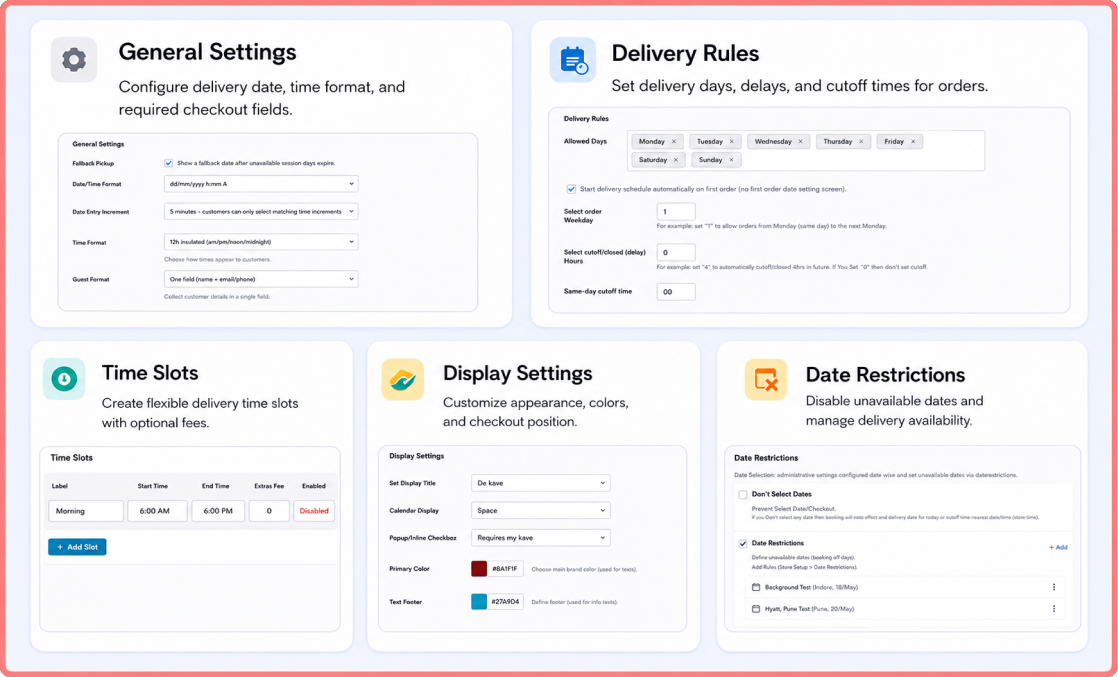
Show the delivery date and time picker on the Cart page, Checkout page, or both. You have full control over where customers select their delivery schedule for a smoother checkout experience.
Time Slot Management
Create unlimited delivery time slots like morning, afternoon, or evening. Each slot can have a custom label and optional extra charges to manage peak times or premium deliveries.
Delivery Rules Configuration
Set complete scheduling rules, including minimum preparation time, maximum booking limit, same-day cutoff time, and allowed delivery days to fully control order scheduling.
Date Restrictions & Blackout Control
Block specific dates such as public holidays, maintenance days, or stock unavailability. These dates are automatically disabled in the calendar to avoid invalid orders.
Custom Display Settings
Customize the picker to match your store design with dropdown or button slots, an inline or pop-up calendar, and flexible colors, fonts, and labels.
WooCommerce Blocks & Classic Support
Fully compatible with both Classic WooCommerce checkout and Block-based checkout, ensuring smooth integration across all store types.
Order-Level Delivery Details
Selected delivery date and time appear on the admin order page, customer emails, and Thank You page for complete order visibility.
Translation & Multilingual Ready
Fully i18n-ready and compatible with WooCommerce translation files, making it easy to localize for any language.
Our Achievements
How It Works
Go live in minutes with 4 simple steps.
Step-01:
Step-02:
Step-03:
Step-04:
Install & Activate the Plugin
Get started in minutes by uploading the plugin to /wp-content/plugins/ or installing it directly from your WordPress dashboard. Activate it from the Plugins menu to enable the WooCommerce delivery slot system instantly.
Configure Delivery Settings
Easily set up your delivery rules from WooCommerce → Settings → Delivery Slots. Define your delivery days, time windows, minimum advance order time, and blackout dates. This ensures customers only see accurate and available delivery options based on your schedule.
Create Flexible Delivery Time Slots
Add multiple delivery windows, such as 10:00 AM – 1:00 PM or 3:00 PM – 6:00 PM, with customizable labels, optional charges, and easy enable/disable controls. Customers enjoy a smooth checkout with a Flatpickr date picker and AJAX-loaded slots based on selected dates for real-time availability and better order planning.
Go Live with Smart Checkout Slot Selection
Once configured, the delivery date time slot picker appears seamlessly on the Cart or Checkout page. Every selection is validated, saved with the order, and displayed across order details for clear communication and accurate fulfillment.
We Build Powerful Digital Products That Fit Your Business
Noon Reviews Importer
Convert existing Noon social proof into a powerful sales-driving asset for your Shopify store.
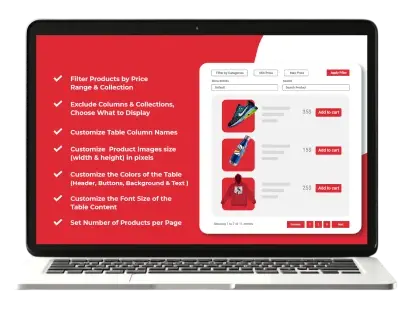
Tabular: Products in Table View
A Shopify app to display products in a clean, filterable table for easy browsing and fast checkout.
CredUP
Boost customer retention with store credit rewards for orders, signups, and referrals.
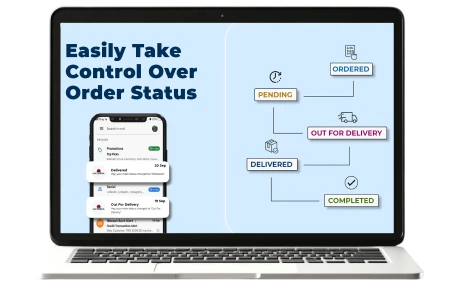
Easy Orders Status Manager
Keep customers informed and satisfied with instant automated email alerts on every order update.
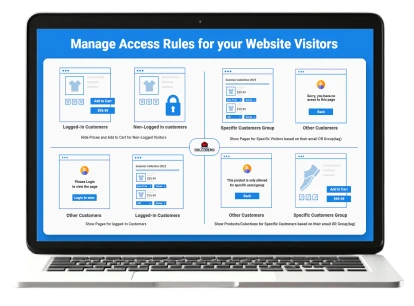
B2B Essential Locks
B2B Essential Locks helps you manage your store privacy. You can hide prices and add to cart buttons from the whole store on all/specific products or all/specific collections for non-logged visitors or show to specific users or user groups based on customer tags.
Requirements
System Requirements for This Plugin
Dive into our all in one delivery scheduler and enhance your WooCommerce checkout process with our easy-to-integrate solution.
- Blocks Checkout compatible
- Date & Time selection
WordPress
5.8 OR Higher
Woocommerce
6.0 OR Higher
PHP
7.4 OR Higher
Tested up to
WordPress 6.9.4
FAQs About Orders Date Time Slot Picker By SolCoders!
Does this plugin work with WooCommerce Blocks Checkout?
Yes. It fully supports both the classic shortcode-based checkout and the modern WooCommerce Blocks Checkout editor to ensure smooth compatibility with any setup.
Can I restrict deliveries to specific days?
Store admin can easily select allowed delivery days and block unavailable dates such as weekends, holidays, or store closures, using the Delivery Rules settings.
Does the delivery selection carry over from Cart to Checkout?
Yes. The selected delivery date and time slot are saved automatically and carried from Cart to Checkout. Customers can still edit it before placing the order.
Can I block holidays or custom unavailable dates?
Yes. You can easily block specific dates, and they will appear disabled in the calendar so customers can’t select them.
Where is the delivery date and time shown after purchase?
All selected delivery details are stored in the order and displayed on the WooCommerce admin order page, customer email, and Thank You page.
Is this WooCommerce delivery slots plugin free?
Yes. The Orders Date Time Slot Picker plugin is completely free with no hidden charges, no premium version and all features included in the WordPress.org version.
Give your customers clarity and your store full control over deliveries. No confusion. No missed orders. Just smart scheduling.